 Get it now
CRED AI for Microsoft Teams
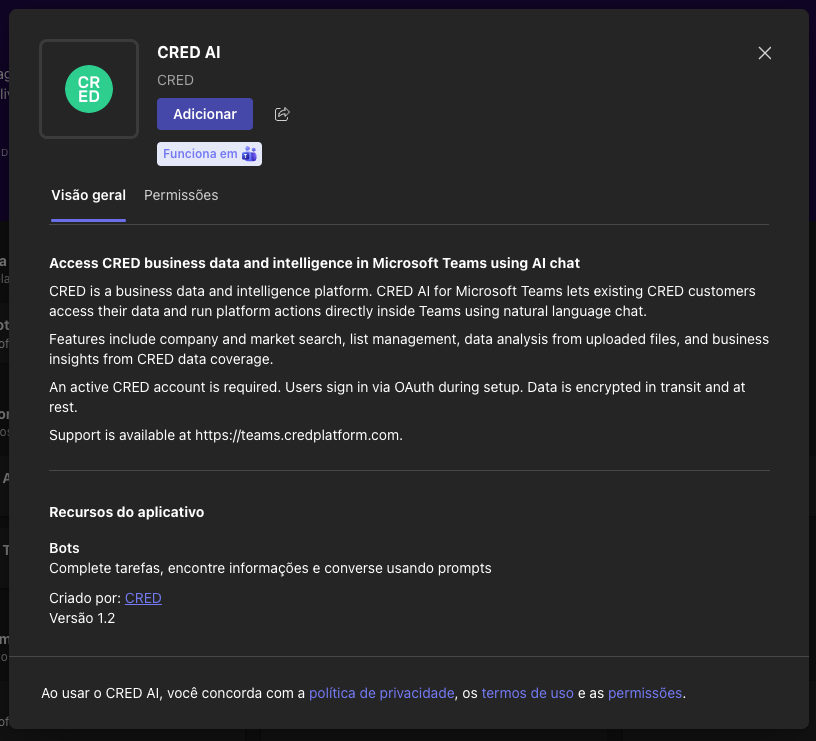
Access CRED's data and platform from Microsoft Teams. Query your database, run platform actions, and get insights by chatting with the AI—almost everything you do on the CRED platform, right inside Teams.
CRED is a data and intelligence platform: we aggregate, sell, and deliver data to our customers. For existing CRED customers, CRED AI for Microsoft Teams gives you access to that same data and to almost all platform actions directly from Microsoft Teams. Chat with the AI bot in natural language to query our database, search companies and markets, build lists, add opportunities, and run operations you would normally do on the CRED platform—without leaving Teams.
You can ask questions like "What companies in San Francisco are hiring?" or "Show me companies in sector X" and get context-aware answers from CRED's coverage of 200M+ companies and 900M+ employees. Create and manage data in CRED through conversation. Upload PDFs, CSVs, Excel files, or images for analysis and integration with your CRED account.
The bot streams responses in real time and keeps conversation context. Security and privacy are built in: the app uses OAuth authentication and does not store your credentials. Data is encrypted and the app meets SOC 2 and GDPR requirements.
AI-generated content: CRED uses artificial intelligence to generate responses and insights. AI-generated content may contain inaccuracies, errors, or outdated information. Verify important information through official sources and use your own judgment when making business decisions. CRED is not responsible for decisions made solely on the basis of AI-generated content.
Requires an active CRED account. You connect via OAuth during installation. Learn more about pricing.
Setup CRED AI with Microsoft Teams
CRED AI for Microsoft Teams works as a conversational bot inside Microsoft Teams. Here is how it fits into your workflow:
Important — email must match
The email address of your CRED account must be the same as the email address of your Microsoft Teams account. This is how the app associates your CRED account with your Teams identity. If the emails do not match, the connection will not work.
What you see in Microsoft Teams
If your email is already in CRED
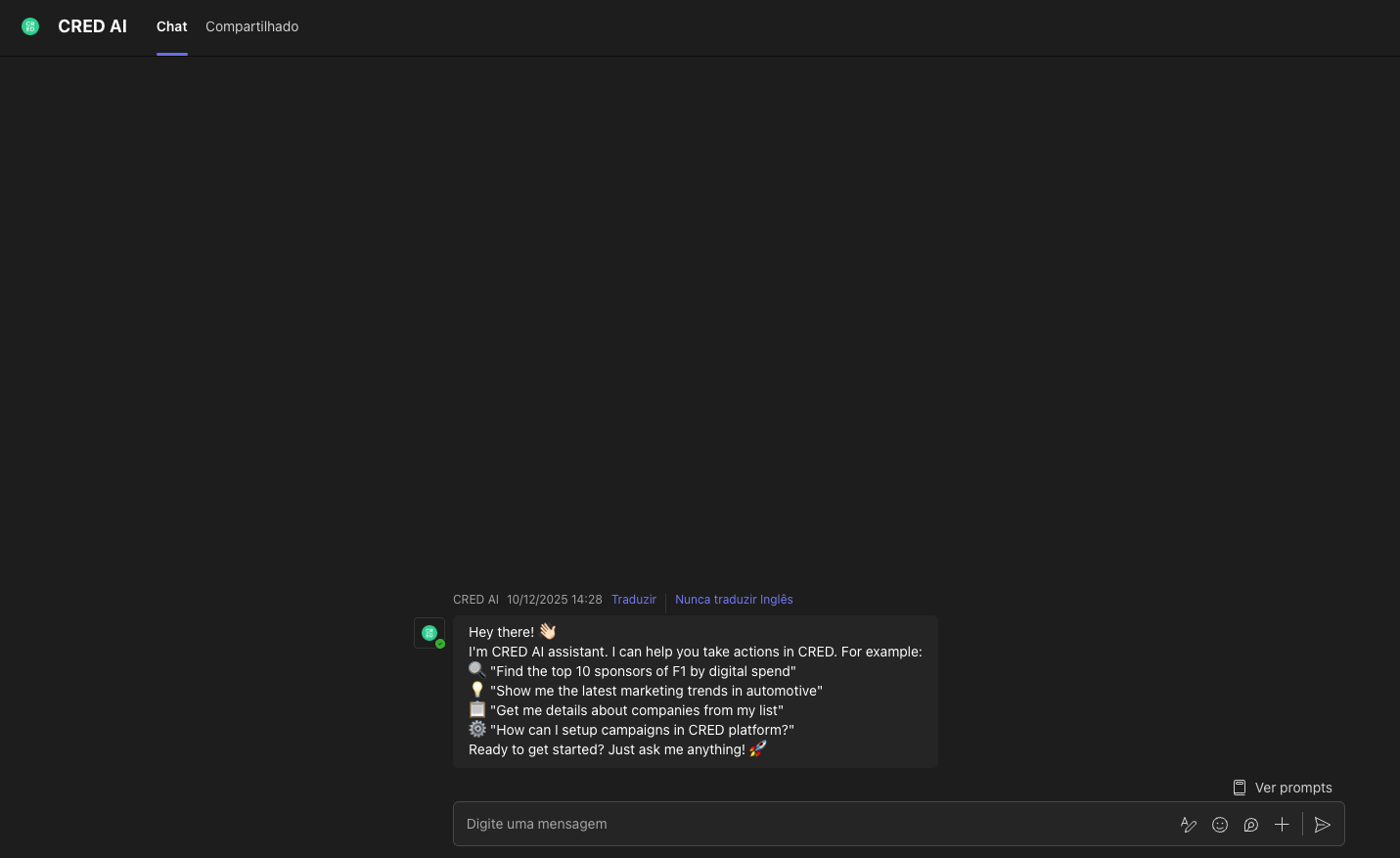
Your Teams email matches a CRED account. After installing, you get the welcome message and commands:
If your email is not yet in CRED
Your Teams email is not linked to a CRED account. You see this message with signup and documentation links:
Help command
Type help or ajuda in the bot chat at any time to see the welcome message and commands again (same as when your email is already in CRED).
Installation and setup
Install CRED AI for Microsoft Teams from the Microsoft Teams app store. During setup you sign in with your CRED account via OAuth. Use the same email address in CRED as in Microsoft Teams—this is required for the app to associate your accounts. Once connected, the bot is available in your personal chat in Microsoft Teams.
Using the bot in Microsoft Teams
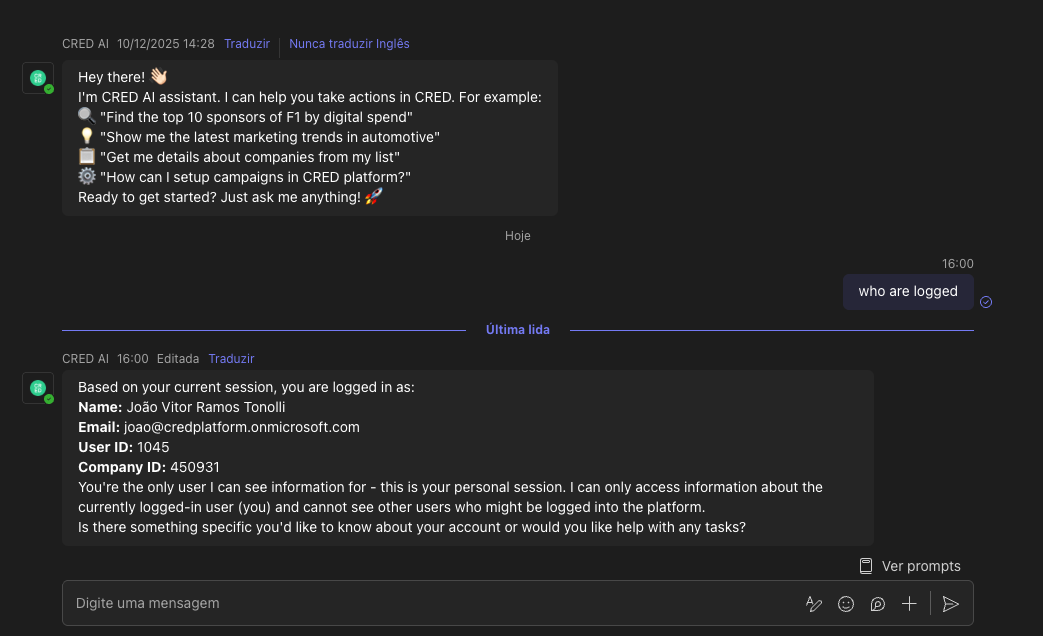
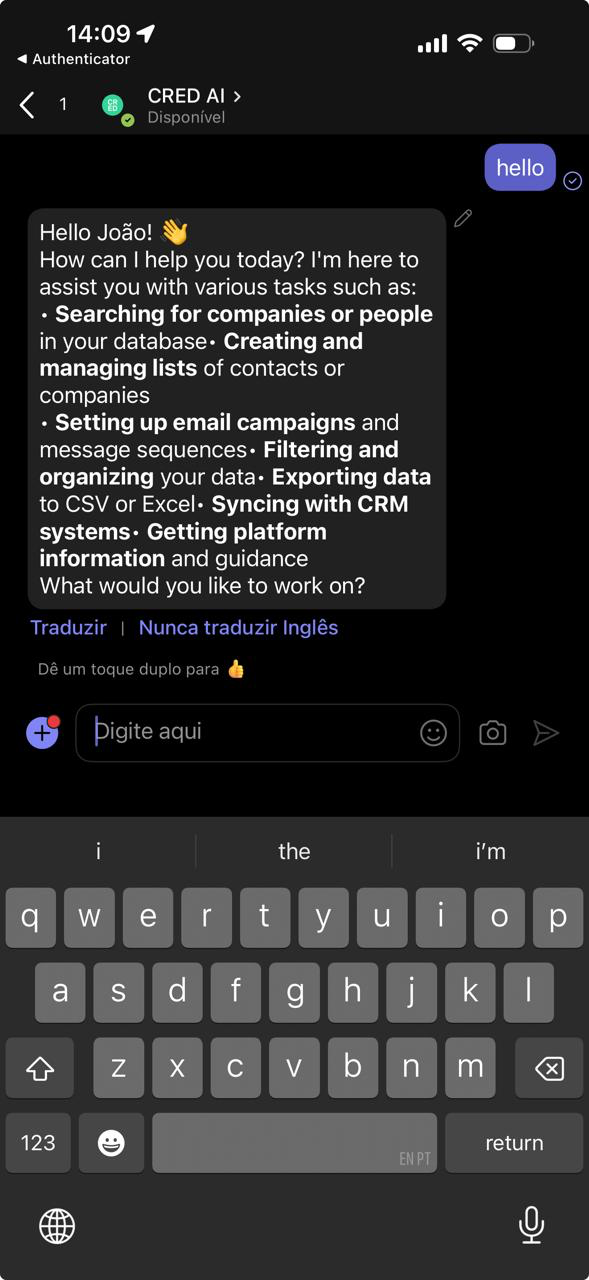
You use CRED in a personal chat (1:1) with the bot. Each user has their own bot instance—there is no group or channel chat. Start a direct chat with the bot; it understands natural language and can help with company research, data analysis, file processing, and CRED platform operations.
Data access and security
The app uses OAuth and does not store your credentials. Data is encrypted in transit and at rest. The app meets SOC 2 and GDPR requirements so your data stays secure and private.
How it works in Microsoft Teams
Install the app
Install CRED AI for Microsoft Teams from the Microsoft Teams app store. The installation flow guides you through OAuth to connect your CRED account.
Start a conversation
Open a personal chat with the CRED bot to ask questions about companies, request data analysis, or upload files. The bot replies so the conversation stays organized.
Get intelligent responses
CRED processes your requests using predictive intelligence. It combines your internal data with external market signals from 10,000+ sources to deliver insights, company data, and actionable recommendations from CRED's coverage of 200M+ companies.
Upload and analyze files
Attach PDFs, CSVs, Excel files, or images to your messages. The bot processes them and can answer questions, extract insights, and provide analysis.
See CRED in Microsoft Teams
Screenshots and video of the app in action
Desktop
Mobile
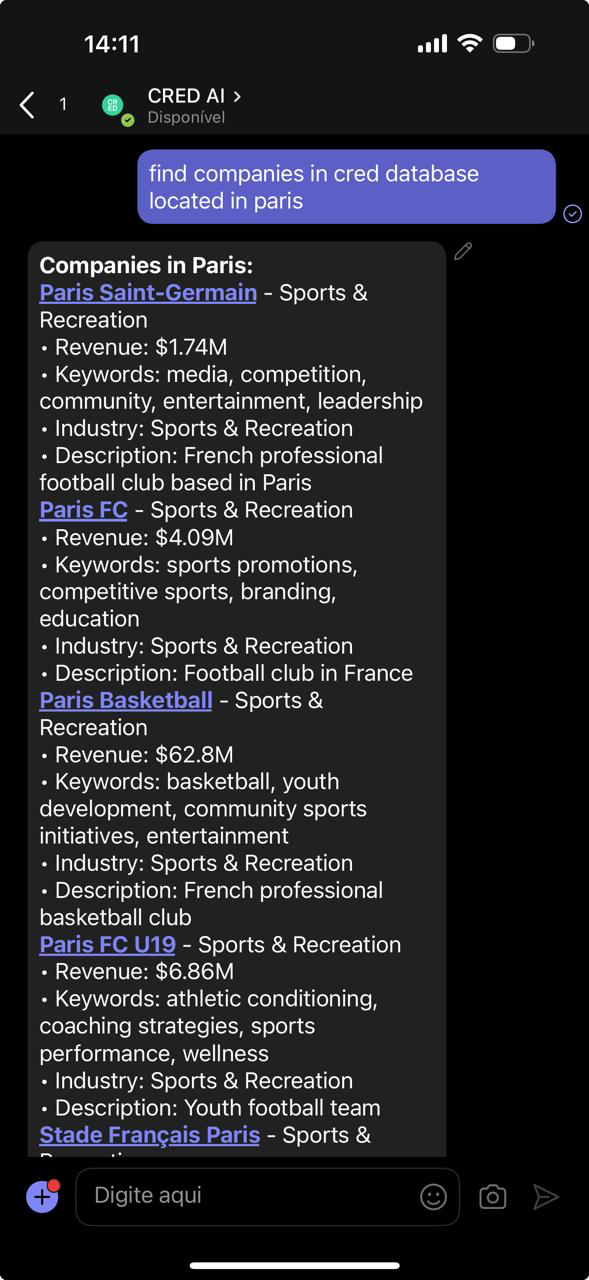
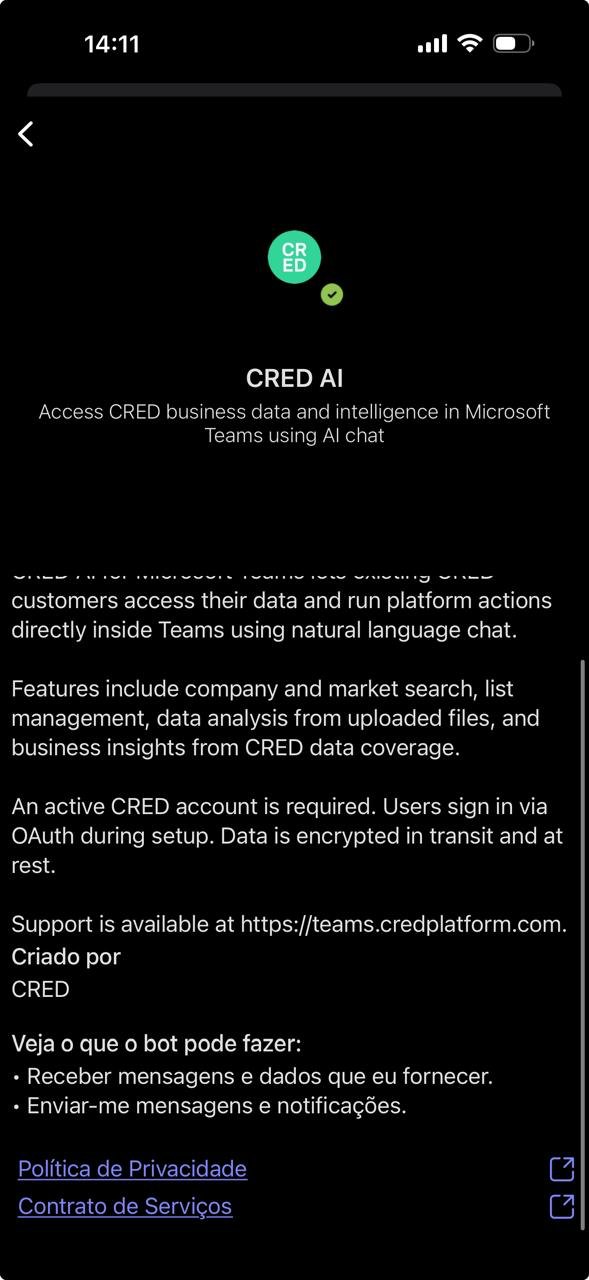
Integration details
What you need to know about how CRED works with your Microsoft Teams workspace
Configuration
You need an active CRED account. During installation you sign in via OAuth to connect that account. The app uses CRED's platform (including MCP where applicable) so you can use CRED's capabilities through natural conversation in Microsoft Teams.
Message triggers
- ✓Opening the CRED chat and sending a message
- ✓Replying to a bot message in a thread to continue the conversation
- ✓Uploading files with your message to trigger file processing
Bot responses
The bot streams responses in real time and keeps conversation context. It handles natural language queries, analyzes uploaded files, and returns insights based on CRED's data coverage.
Supported features
Natural language queries about companies, markets, and business intelligence. Create and manage data in CRED (e.g. lists, opportunities) through conversation.
PDF, CSV, Excel, and image files supported for analysis and integration with your CRED account.
Access to CRED's coverage of 200M+ companies and 900M+ employees from 10,000+ data sources.
Proprietary scoring models and synthetic forecasting for market trends and opportunities.
CRED platform capabilities available through natural conversation in Microsoft Teams.
Works with your internal systems such as CRM, marketing tools, and collaboration platforms.
Conversation context is maintained across thread replies for a continuous dialogue.
Access to unique data points across industries and sectors.
Pricing
Included for CRED customers
CRED AI for Microsoft Teams is included at no extra cost. You need an active CRED subscription to use it.
If you already have a CRED subscription, you can start using the bot in your Microsoft Teams workspace at no additional charge.
Pricing Information: This app requires an active CRED account. The Microsoft Teams integration is included for CRED customers. For CRED subscription details, see the CRED platform.
AI-generated content
Important: CRED uses AI to generate responses and insights. AI-generated content may contain inaccuracies, errors, or outdated data.
You should:
- Verify critical information through official sources
- Use AI responses as a starting point, not as definitive answers
- Exercise professional judgment when making business decisions
CRED is not responsible for decisions made solely based on AI-generated content.
Ready to get started?
Add CRED AI to your Microsoft Teams workspace and access your data and platform by chat—right where you work.
Get it now